
What is a VPN? Learn how a VPN works, what it hides, its benefits and limitations, and whether you really need a VPN in 2026. A VPN can hide your IP address, encrypt your internet connection, and provide an extra layer of privacy when you go online. It can be especially useful when using public Wi-Fi, traveling, working remotely, or simply trying to reduce how much your internet provider can see about your browsing activity.
VPN stands for Virtual Private Network. It is a service or application that creates an encrypted connection between your device and a VPN server. Your internet traffic travels through this secure connection before reaching the websites and services you use.
Think of a VPN as a private, encrypted tunnel between your device and the internet. Instead of sending your traffic directly from your device to your internet service provider and then to a website, the VPN sends it through its own server first.
As a result, websites generally see the IP address of the VPN server instead of your real IP address.
However, there is an important point to understand: a VPN does not make you completely anonymous online. It improves privacy and protects your connection in certain situations, but it cannot protect you from every online threat.
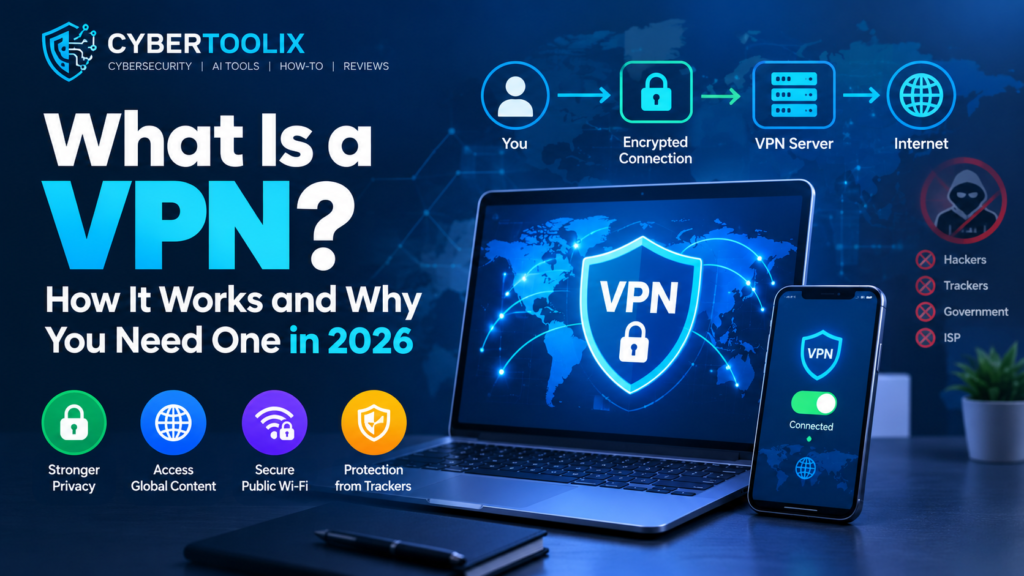
What Is a VPN?
A Virtual Private Network (VPN) is a service that encrypts your internet traffic and routes it through a VPN server. If you’re wondering what is a VPN, it is essentially a privacy and security tool that creates an encrypted connection between your device and a VPN server.
Normally, when you visit a website, your connection travels through your internet service provider (ISP). Your ISP can see that you are communicating with particular online services.
With a VPN enabled, your device connects to the VPN server first. Your traffic between your device and that server is encrypted.
The basic process looks like this:
Your Device → Encrypted VPN Tunnel → VPN Server → Internet
The website you visit then sees the VPN server’s IP address rather than your original IP address.
This is one reason people use VPNs to improve online privacy and protect their connection on certain networks.
Read More: Phishing Scams Explained: 10 Warning Signs You Should Never Ignore
How Does a VPN Work?
You don’t need to understand complicated networking terms to understand how a VPN works. Understanding what is a VPN does becomes easier when you look at how your internet traffic travels through the encrypted tunnel.
When you turn on a VPN, several things happen.
1. Authentication
First, your VPN application connects to the VPN provider’s network and authenticates your account.
This usually happens automatically within seconds.
2. Encrypted Tunnel
The VPN creates an encrypted connection between your device and the selected VPN server.
Your internet traffic traveling through this connection is protected from people who may be monitoring the network.
The uploaded source describes this process as establishing encryption keys between your device and the VPN server before traffic begins flowing through the tunnel.
3. Your Traffic Is Routed Through the VPN
Instead of sending your internet traffic directly through the normal route, your device sends it through the VPN tunnel.
The VPN application handles this process in the background, so you normally don’t need to configure individual apps.
4. The VPN Server Connects to the Internet
The VPN server forwards your request to the destination website or online service.
The website receives the request from the VPN server, meaning it generally sees the VPN server’s IP address rather than your original IP address.
Simple Example
Imagine you are sitting in a coffee shop using public Wi-Fi.
Without a VPN:
Laptop → Public Wi-Fi → ISP/Internet → Website
With a VPN:
Laptop → Public Wi-Fi → Encrypted VPN Tunnel → VPN Server → Website
The second setup provides an additional layer of protection for the connection between your device and the VPN server.
What Does a VPN Hide?
A VPN can hide or protect certain information from particular observers.
| Without a VPN | With a VPN |
|---|---|
| Websites can see your original IP address | Websites generally see the VPN server’s IP |
| Traffic between your device and ISP is not inside a VPN tunnel | Traffic to the VPN server is encrypted |
| Your approximate IP-based location may be visible | VPN server location may appear instead |
| Public Wi-Fi exposes you to network-level risks | VPN adds an extra encrypted layer |
However, remember that a VPN does not hide everything.
For example, if you log into your Google, Facebook, or other online account, that service can still associate your activity with your account.
Why Do People Use a VPN?
VPNs can be useful in several situations. However, you don’t necessarily need one all the time.
Here are some of the most common reasons people use VPNs.
1. Protecting Yourself on Public Wi-Fi
Public Wi-Fi is available in places such as: This is one of the most common situations where people ask what is a VPN used for.
- Coffee shops
- Airports
- Hotels
- Restaurants
- Libraries
- Shopping centers
These networks are shared with many people, so you should be careful when using them.
Modern websites commonly use HTTPS, which already provides encryption for many connections. However, a VPN can add another layer of protection between your device and the VPN server.
The uploaded source specifically identifies public Wi-Fi as one of the situations where a VPN can make a meaningful difference.
2. Hiding Your IP Address
Your IP address can reveal an approximate location and can be used by websites and online services as part of their tracking and security systems.
A VPN replaces the IP address visible to websites with the IP address of the VPN server.
This can make it more difficult for websites to connect your activity to your original IP address.
3. Improving Online Privacy
Your internet provider can observe aspects of your internet connection.
When you use a VPN, your ISP sees an encrypted connection to the VPN server rather than the individual contents of the traffic traveling through the VPN tunnel.
This can be useful if you want greater privacy from your ISP.
4. Traveling
A VPN can be useful when traveling, particularly if you regularly use unfamiliar networks.
You may also find that some online services behave differently depending on your location.
Connecting to a VPN server in another country can make your connection appear to originate from that server’s location.
However, websites and streaming services can detect and block VPN connections, so a VPN does not guarantee access to every region-restricted service.
5. Working Remotely
Remote workers, freelancers, and businesses may use VPNs to provide a secure connection when accessing certain systems and services.
For example, a company may require employees to connect through a VPN before accessing internal resources.
For personal users, a VPN can also provide additional protection when working from a laptop on an unfamiliar network.
6. Accessing Region-Restricted Content
Some websites and online services provide different content depending on the user’s country.
A VPN can allow you to connect through a server in another region.
However, using a VPN does not guarantee that a particular streaming service or website will work. Many services actively identify and block known VPN IP addresses.
When You Probably Don’t Need a VPN
This is an important part of understanding VPNs.
A VPN is useful, but it isn’t a magic security tool that everyone must use 24/7.
You May Not Need One If:
- You mainly use a trusted home network.
- You don’t need to change your apparent location.
- You aren’t concerned about hiding your browsing activity from your ISP.
- You rarely use public Wi-Fi.
- You don’t need a VPN for work or another specific purpose.
If your internet use happens almost entirely on a trusted home network, a VPN may provide relatively little additional benefit for your particular needs.
Does a VPN Make You Anonymous?
No.
This is one of the biggest misconceptions about VPNs.
A VPN can hide your IP address from websites, but websites can still identify or track you through:
- Account logins
- Cookies
- Browser fingerprinting
- Tracking technologies
- Device information
For example, if you connect to a VPN and then log into your Google account, Google can still know that you are using your account.
The uploaded source also emphasizes that VPNs provide privacy rather than complete anonymity.
So, it is better to think of a VPN as a privacy and security tool, not an invisibility cloak.
Does a VPN Stop Hackers?
Not completely.
A VPN can protect the connection between your device and the VPN server, but it does not automatically protect you from every type of cyberattack.
For example, a VPN cannot stop:
- Phishing attacks
- Malware
- Fake login pages
- Stolen passwords
- Malicious downloads
- Social engineering
This is why you should combine a VPN with other security practices.
For example:
VPN + Strong Passwords + 2FA + Security Updates + Safe Browsing
Your previous Cyber Toolix articles about phishing and social media security can also be internally linked here.
The source material makes the same distinction: a VPN does not stop malware, phishing, or password theft, and other security tools can be more important for those threats.
Can a VPN Make Your Internet Faster?
Usually, no.
A VPN can sometimes help in specific situations, such as when an ISP is throttling certain types of traffic. However, encryption and routing traffic through another server can also introduce some speed loss.
Therefore, if your internet is slow, don’t automatically assume that you need a VPN.
First check:
- Your Wi-Fi signal
- Router performance
- Internet plan
- ISP connection
- Number of connected devices
The uploaded source similarly notes that a VPN does not inherently make internet connections faster.
Free VPN vs Paid VPN
One of the most common questions is whether you should use a free VPN.
Here’s a simple comparison:
| Feature | Free VPN | Paid VPN |
|---|---|---|
| Cost | Free | Monthly/yearly fee |
| Server selection | Often limited | Usually more extensive |
| Speed | May be limited | Usually better |
| Data limits | May apply | Often higher or unlimited |
| Features | Basic | More advanced |
| Privacy policies | Vary significantly | Depends on provider |
| Customer support | Often limited | Usually better |
Important: Never assume that a VPN is trustworthy simply because it is free.
Before choosing any VPN, read its privacy policy and understand how the provider handles your data.
How to Choose a VPN
If you decide that you need a VPN, don’t choose one simply because it has the largest number of servers or the biggest discount.
Consider these factors first.
1. Privacy Policy
Look for a provider with a clear privacy policy that explains what information it collects.
A provider’s no-logs claims are more meaningful when supported by independent audits or other evidence.
2. Server Locations
If you travel or need a connection from a particular country, server coverage matters.
However, more servers do not automatically mean better service.
3. Speed
VPN speed can vary depending on:
- Server distance
- Server load
- VPN protocol
- Your internet connection
- Your device
The uploaded source notes that modern protocols such as WireGuard-based implementations can offer strong performance compared with older protocols.
4. Security Features
Look for useful features such as:
- Kill switch
- Strong encryption
- DNS leak protection
- Multiple protocols
- Secure applications
5. Price and Renewal Cost
Don’t focus only on the introductory price.
Some VPN providers offer large discounts for the first subscription period and then charge a higher renewal price.
Always check the renewal price before subscribing.
VPN Advantages and Disadvantages
Advantages
- Encrypts the connection to the VPN server
- Hides your original IP address from websites
- Adds protection on public Wi-Fi
- Can improve privacy from your ISP
- Can provide connections through servers in other regions
- Useful for some remote-work situations
Disadvantages
- Can reduce internet speed
- Good VPN services usually cost money
- VPN providers can potentially see information about your connection
- Some websites block VPN traffic
- A VPN does not provide complete anonymity
- It does not stop phishing, malware, or stolen passwords
Do You Need a VPN in 2026?
There is no single answer for everyone.
A VPN can be worth considering if you:
- Frequently use public Wi-Fi
- Travel regularly
- Want additional privacy from your ISP
- Need to connect to a work network
- Want to use servers in different regions
- Prefer an additional layer of protection for your internet connection
On the other hand, if you mainly browse the internet from a trusted home network and don’t need these features, you may not need a VPN.
The important thing is to understand what a VPN actually does instead of believing that it makes you completely anonymous or protects you from every cyber threat.
Frequently Asked Questions
What is a VPN?
A VPN, or Virtual Private Network, encrypts your internet connection and routes your traffic through a VPN server. This can hide your original IP address from websites and provide additional privacy.
Is a VPN safe?
A reputable VPN can be a useful privacy and security tool. However, you should choose your provider carefully and read its privacy policy.
Does a VPN hide my IP address?
Yes. Websites will generally see the IP address of the VPN server instead of your original IP address.
Does a VPN make me anonymous?
No. A VPN improves privacy but does not make you completely anonymous. Websites can still identify you through accounts, cookies, browser fingerprints, and other tracking methods.
Can a VPN protect me on public Wi-Fi?
A VPN can add an encrypted layer to your connection, making it useful on public Wi-Fi. However, you should still use HTTPS, avoid suspicious links, and keep your devices updated.
Are free VPNs safe?
Not necessarily. Free VPN services vary widely in their privacy practices, features, and security. Research the specific provider before using one.
Does a VPN stop hackers?
No. A VPN does not protect you from every cyber threat. You still need strong passwords, two-factor authentication, updated software, and protection against phishing and malware.
Conclusion
A VPN is a useful privacy and security tool, but it isn’t necessary for everyone in every situation. Understanding what is a VPN can help you decide whether this privacy tool is right for your needs.
It creates an encrypted connection between your device and a VPN server, hides your original IP address from websites, and can provide additional protection when you’re using public Wi-Fi or traveling.
However, a VPN doesn’t make you completely anonymous and doesn’t stop threats such as phishing, malware, or password theft.
The best approach is to understand why you need a VPN before paying for one. If privacy, public Wi-Fi security, travel, or remote work are important to you, a reputable VPN may be a worthwhile addition to your online security toolkit.
In short: a VPN can improve your privacy, but it should be one part of a complete cybersecurity strategy—not your only line of defense.


Pingback: AI Voice Cloning Scams: 10 Warning Signs of a Fake Call in 2026 -