
What Is Phishing?
Learn what phishing scams are, discover 10 warning signs, common phishing types, and simple ways to protect your accounts and personal information. Phishing is a cybercrime in which attackers impersonate trusted individuals or organizations to steal sensitive information. They commonly use emails, text messages, phone calls, and social media to convince people to click malicious links, download harmful files, or reveal passwords and financial information. Understanding the common warning signs of phishing can help you avoid scams, protect your accounts, and reduce the risk of identity theft and financial loss.
How Does Phishing Work?
Phishing attacks work by using social engineering and deception to convince people that they are communicating with a legitimate person or organization. Instead of directly hacking into an account, cybercriminals try to trick victims into giving them access themselves. Attackers may send a fake email, text message, social media message, or make a phone call pretending to be from a bank, online service, delivery company, employer, or another trusted organization.
The attack usually begins with a message designed to grab the victim’s attention. The scammer may claim that there is a problem with an account, suspicious login activity has been detected, a payment has failed, or some information needs to be verified. In many cases, the message creates a sense of urgency or fear so that the victim acts without carefully checking the request.
The message may then encourage the victim to click a link, open an attachment, download a file, make a payment, or provide sensitive information. A link might lead to a fake website that looks almost identical to the legitimate website. If the victim enters their username, password, credit card information, or other personal details, that information can be captured by the attacker.
Read More: Two-Factor Authentication (2FA): How It Works, Benefits & Why You Need It
Once criminals obtain the information, they may use it to access online accounts, steal money, commit identity theft, or carry out additional attacks. In some cases, malicious attachments or downloads can also install malware on the victim’s device.
Common Phishing Scams Tactics
Phishing scams messages can take many forms, but scammers commonly use tactics such as:
Suspicious account activity: The message claims someone has tried to access your account.
Fake account problems: You are told that your account has been suspended, locked, or restricted.
Payment requests: The scammer claims that a payment failed or that you need to update your billing information.
Urgent verification: You are asked to confirm your password, personal information, or security code immediately.
Fake invoices: An unexpected invoice or payment receipt is included to make you investigate.
Malicious links: You are encouraged to click a link that may lead to a fake website or malware.
Too-good-to-be-true offers: The message promises free products, prizes, refunds, or special discounts.
Impersonation: The attacker pretends to be someone you know or a company you trust.
How to Recognize a Phishing Attempt
Although phishing scams are becoming more sophisticated, they often contain clues that can expose them. Unexpected requests, urgent language, suspicious links, unusual email addresses, and requests for sensitive information should all be treated as warning signs.
Before clicking a link or responding to a suspicious message, take a moment to verify the sender and check the request through an official website or trusted contact method. Never assume a message is legitimate simply because it contains a familiar company name or logo.
What are the types of phishing attacks?
Types of Phishing Attacks
Phishing attacks can take many different forms depending on how cybercriminals contact their victims and what information they are trying to steal. Some attacks target thousands of people at once, while others are carefully designed to target a specific individual, employee, or organization. Below are some of the most common types of phishing attacks you should know about.
- Email Phishing
Email phishing is one of the most common forms of phishing. Attackers send fraudulent emails that appear to come from trusted companies, banks, online services, or other legitimate organizations. These messages often contain suspicious links or attachments and may ask the recipient to verify an account, reset a password, or provide personal or financial information. The goal is to trick the victim into visiting a fake website or revealing sensitive data.
- Trap Phishing
Trap phishing involves taking advantage of security weaknesses or vulnerabilities in a company’s online systems. Cybercriminals may look for poorly secured websites, outdated software, or other technical weaknesses that can help them deceive users or gain unauthorized access. Organizations can reduce this risk by regularly updating their systems, fixing security vulnerabilities, and following strong cybersecurity practices.
- Spear Phishing
Spear phishing is a highly targeted form of phishing that focuses on a specific person, group, or organization. Unlike ordinary phishing emails sent to thousands of people, spear phishing messages are often personalized. Attackers may research their target and use details such as their name, job title, company, or role to make the message appear legitimate. Because these attacks are more convincing, they can be especially dangerous.
- Angler Phishing
Angler phishing uses social media platforms to trick users into revealing sensitive information or downloading malicious content. Scammers may create fake accounts that closely resemble well-known brands or organizations. They often respond to customer complaints, comments, or direct messages and attempt to convince users to share login details, personal information, or financial data. Always verify that you are communicating with an official account before sharing any sensitive information.
- Whaling
Whaling is a highly targeted phishing attack aimed at senior executives and other high-profile individuals, such as CEOs, CFOs, and company directors. Because these individuals often have access to valuable financial information and sensitive company data, attackers carefully craft convincing messages specifically for them. A whaling attack may involve fake legal notices, urgent payment requests, or account-related warnings designed to pressure the victim into taking immediate action.
- Vishing (Voice Phishing)
Vishing, or voice phishing, is a phishing attack carried out through phone calls or voice messages. The attacker may pretend to be a bank representative, government official, technical support agent, or another trusted person. They often use urgency, fear, trust, or financial incentives to pressure victims into sharing passwords, verification codes, banking information, or other sensitive details. Never share confidential information over the phone unless you have independently verified who you are speaking with.
- Smishing (SMS Phishing)
Smishing is phishing carried out through SMS or text messages. A scammer may send a message claiming that there is a problem with your bank account, package delivery, payment, or online account. These messages often include a suspicious link or phone number and encourage the victim to act quickly. Clicking the link may lead to a fake website, while calling the number could connect the victim directly with a scammer.
- Pharming
Pharming is a more technical type of attack that redirects users from a legitimate website to a fraudulent one. This can happen when attackers manipulate website traffic, DNS settings, or a device’s configuration. The fake website may look almost identical to the real one and attempt to steal login credentials, banking information, or other sensitive data. To stay safe, avoid clicking suspicious pop-ups or links, keep your devices updated, and manually enter the official website address when accessing important accounts.
Short conclusion after this section
Understanding the different types of phishing attacks is an important step toward protecting yourself online. Whether the scam arrives through email, social media, a phone call, or a text message, the goal is usually the same: to trick you into revealing sensitive information or taking an action that benefits the attacker. Staying alert and verifying suspicious messages before responding can significantly reduce your risk of becoming a victim.
10 Warning Signs of a Phishing Scam
Phishing messages are becoming more convincing, but they often contain small clues that can help you identify a scam. Here are 10 common warning signs to watch for before clicking a link, opening an attachment, or sharing personal information.
- Suspicious Sender Email Address
One of the first things to check is the sender’s email address. Cybercriminals often create addresses or domains that look similar to legitimate companies by changing a letter, adding extra words, or using an unusual domain extension.
For example, an email may appear to come from a trusted company but use a slightly different domain name.
Always check the sender’s full email address before clicking links or opening attachments.
- Urgent or Fear-Inducing Language
Phishing scams often try to make you panic so that you act without thinking. The message may claim that your account will be suspended, your payment has failed, or suspicious activity has been detected.
Common examples include:
Your account has been suspended.
Immediate action required.
Your payment has failed.
Verify your identity now.
When a message creates unnecessary urgency or fear, stop and verify it before taking any action.
- Suspicious Links
Phishing emails frequently contain links that lead to fake websites designed to steal your information. Before clicking a link, hover your mouse over it and check the destination URL.
Be careful if the link contains unusual characters, misspelled domain names, or an address that does not match the organization’s official website.
When in doubt, open your browser and manually enter the official website address instead of using the link in the message.
- Requests for Passwords or Sensitive Information
Be suspicious of unexpected messages asking for sensitive information such as passwords, banking details, credit card numbers, security codes, or one-time passwords.
Attackers may pretend to be your bank, employer, payment service, or another trusted organization to convince you to provide this information.
Never share sensitive information simply because an email or message asks for it. Verify the request through an official channel first.
- Poor Grammar or Unprofessional Formatting
Spelling mistakes, grammatical errors, strange wording, inconsistent fonts, and unusual formatting can be signs of a phishing message.
However, modern phishing attacks can be professionally written and may contain few or no obvious mistakes. Good grammar does not automatically mean a message is legitimate, so always check other warning signs as well.
- Unexpected Attachments
An unexpected attachment can be used to deliver malware, ransomware, or other malicious software to your device.
Be especially careful with unfamiliar files, particularly when you were not expecting an attachment from the sender.
If you receive an unexpected file, verify it with the sender through another communication method before opening it.
- Generic Greetings
Phishing messages often use generic greetings such as:
Dear Customer
Dear User
Valued Customer
Dear Member
A generic greeting alone does not prove that a message is a scam, but it can become a warning sign when combined with suspicious links, urgent requests, or requests for personal information.
- Offers That Seem Too Good to Be True
Scammers often use attractive offers to encourage people to click quickly. You might receive a message claiming that you have won a prize, received a large discount, qualified for a refund, or been selected for a free gift.
For example:
Congratulations! You have won a $1,000 gift card. Click here to claim your prize.
If you never entered a competition or the offer seems unusually generous, treat it as suspicious. Verify the offer directly through the organization’s official website.
- Fake Branding, Logos, or Website Design
Cybercriminals frequently copy the logos, colors, layouts, and email templates of legitimate companies to make their messages look authentic.
A professional-looking email is not proof that it is genuine. Check the sender’s address, inspect links carefully, and look for inconsistencies in the branding or website design.
- Unexpected Login or Account Verification Requests
Another common phishing technique is sending a fake login or verification request. The message may claim that you need to sign in to prevent your account from being locked or to confirm suspicious activity.
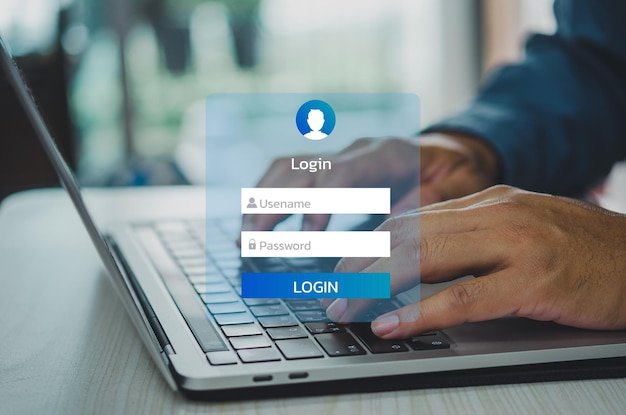
The provided link may take you to a fake login page that records your username and password.
If you receive an unexpected login request, do not use the link provided in the message. Instead, visit the official website directly and check your account from there.
How to Protect Yourself From Phishing
Knowing how phishing works is only the first step. The most important thing is learning how to protect yourself before a scammer gets access to your accounts or personal information. By following a few simple security practices, you can significantly reduce the risk of falling victim to phishing attacks.
- Think Before You Click
Never click a link or open an attachment simply because a message looks urgent or comes from a familiar company. Take a moment to check who sent the message and why you received it.
If you are unsure about a link, hover over it to see where it leads. When possible, visit the company’s official website directly instead of using links provided in emails or text messages.
- Use Strong and Unique Passwords
Create strong, unique passwords for your important accounts and avoid using the same password across multiple websites. If one account is compromised, reused passwords can allow attackers to access your other accounts as well.
A password manager can help you create and securely store different passwords without having to remember them all.
- Enable Two-Factor Authentication
Two-factor authentication (2FA) adds an additional layer of security to your online accounts. Even if a criminal manages to steal your password, they may still be unable to access your account without the second verification step.
Whenever available, enable 2FA on important accounts such as email, banking, social media, cloud storage, and work accounts. For stronger protection, consider using passkeys or phishing-resistant security keys where supported.
- Keep Your Software and Devices Updated
Regular software updates often include important security patches that fix vulnerabilities attackers could exploit. Keep your operating system, web browser, apps, antivirus software, and security tools up to date.
Enable automatic updates whenever possible so that important security fixes are installed without unnecessary delays.
- Verify Suspicious Messages
If you receive an unexpected request for money, passwords, account verification, or other sensitive information, verify it through another channel.
For example, if someone claiming to be your bank contacts you, do not use the phone number or link provided in the suspicious message. Instead, contact the bank using the official phone number or website.
- Be Careful With Unexpected Attachments
Never open an unexpected attachment just because the message appears to come from someone you know. Malicious files can contain malware that may compromise your device or steal information.
If you were not expecting the file, confirm with the sender through a separate communication method before opening it.
- Secure Your Email and Social Media Accounts
Your email account is especially important because it can often be used to reset passwords for other services. Protect it with a strong, unique password and 2FA.
Review your account recovery options and security settings regularly, and remove devices or sessions that you no longer recognize.
- Use Security Software
Reliable antivirus and anti-malware software can help detect malicious files and suspicious activity. Modern browsers and email services also provide features that can warn you about dangerous websites, fraudulent messages, and suspicious downloads.
Keep your security software enabled and updated for the best protection.
- Back Up Important Data
Regular backups can help protect your important files if your device is compromised by malware or ransomware. Keep backups in a secure location and, where possible, maintain a backup that is not continuously connected to your main device.
This can make recovery much easier if a phishing attack leads to data loss.
- Learn to Recognize Phishing Attempts
The best defense against phishing is awareness. Learn to recognize common warning signs such as urgent requests, suspicious sender addresses, unusual links, fake login pages, unexpected attachments, and requests for sensitive information.
Businesses should also provide regular cybersecurity training and phishing awareness exercises to help employees recognize and report suspicious messages.
Quick Phishing Safety Checklist
Before responding to an unexpected email, text, or message, ask yourself:
Do I know the sender?
Was I expecting this message?
Is it creating unnecessary urgency?
Does the link lead to the correct website?
Is it asking for sensitive information?
Was I expecting the attachment?
Can I verify the request through an official channel?
If something feels suspicious, don’t click, don’t reply, and don’t share your information. Verify the request first.
What to Do If You Fall for a Phishing Scam
Even if you are careful online, you can still become a victim of a convincing phishing scam. If you clicked a suspicious link, opened a malicious attachment, or entered your personal information on a fake website, don’t panic. Acting quickly can help reduce the risk of account takeover, financial loss, malware infections, and identity theft.
Here are the important steps you should take after falling for a phishing scam.
- Disconnect the Affected Device
If you downloaded a suspicious file, installed unknown software, or believe your device may be infected with malware, disconnect it from the internet as soon as possible.
Turn off Wi-Fi or disconnect the network cable to prevent potential malware from communicating with attackers or spreading across other devices. If the affected device belongs to your workplace, contact your IT or security team immediately.
Avoid deleting files or resetting the device unless a security professional tells you to do so, as important evidence may be needed to investigate the incident.
- Change Your Passwords
If you entered your username or password on a suspicious website, change that password immediately using a trusted device.
Start with your email account, because attackers may use it to reset passwords for your other accounts. Then secure your banking, social media, shopping, cloud storage, and other important accounts.
Use a strong and unique password for every account. If you reused the exposed password anywhere else, change it there too.
- Enable Two-Factor Authentication
After changing your passwords, enable two-factor authentication (2FA) or another form of multifactor authentication on your important accounts.
This adds another security layer if an attacker already knows your password. Where available, consider stronger options such as passkeys or security keys, which provide better protection against phishing-based login attacks.
Also review your account’s active sessions and connected devices. Sign out of anything you do not recognize.
- Contact Your Bank or Payment Provider
If you shared your credit card, debit card, bank account information, or payment details, contact your bank or financial institution immediately.
Explain what happened and ask whether they can block or reverse unauthorized transactions. Review your recent transactions carefully and consider replacing compromised cards if your bank recommends it.
Always contact your financial institution using the phone number on its official website, app, or card—not the contact information provided in the suspicious message.
- Report the Phishing Scam
Reporting the incident can help prevent other people from becoming victims.
You can report the message through your email provider’s Report Phishing option. If a scammer impersonated a company, bank, delivery service, or another organization, you can also notify that organization through its official website.
If money was stolen or you believe your identity has been misused, report the incident to the appropriate authorities in your country.
- Tell Your Workplace or Contacts
If you clicked a phishing link through a work account or device, inform your IT or security team immediately. Tell them what happened, what information you entered, and whether you downloaded anything.
If your email or social media account has been compromised, warn your contacts as well. Attackers may use your account to send phishing messages to friends, coworkers, or customers.
- Scan Your Device for Malware
If you downloaded an unfamiliar attachment, program, or file, scan your device using trusted security software.
Look for unusual behavior such as unexpected pop-ups, slow performance, unknown applications, browser redirects, or unfamiliar login activity.
For serious infections, especially on business devices, it is safer to have a qualified security professional examine the device.
- Check Your Accounts for Suspicious Activity
Phishing attackers may continue trying to access your accounts even after you change your password.
Check your email, banking, social media, cloud storage, and other important accounts for unusual activity. Look for unfamiliar logins, password changes, new devices, unexpected transactions, or changes to account recovery settings.
If your email account was compromised, also check for suspicious forwarding rules that could allow attackers to receive copies of your messages.
- Monitor for Identity Theft
If you provided personal information such as your full name, address, identification details, or financial information, keep monitoring your accounts for signs of identity theft.
Watch for unfamiliar transactions, unexpected bills, new accounts, or other activity that you did not authorize. Contact the relevant financial institution or authority immediately if you notice anything suspicious.
- Learn From the Incident
Finally, use the experience to improve your online security. Think about what made the phishing message convincing and what warning signs you missed.
Review your passwords, enable 2FA, update your devices, and learn how to identify suspicious links and messages. Falling for a phishing scam does not mean you are careless—it means the scam was designed to deceive you. The most important thing is to act quickly and take steps to prevent it from happening again.
Quick Action Checklist
If you’ve fallen for a phishing scam, remember:
Disconnect → Change passwords → Enable 2FA → Contact your bank → Report the scam → Check your accounts → Scan your device → Monitor for suspicious activity
Conclusion
Phishing scams are one of the most common online threats, but they can often be avoided by staying alert and knowing the warning signs. Always think before clicking links or opening unexpected attachments, avoid sharing sensitive information through suspicious messages, and use strong passwords with two-factor authentication. If you do fall for a phishing scam, act quickly by changing your passwords, securing your accounts, contacting your bank if necessary, and checking for suspicious activity. With the right habits and a little caution, you can significantly reduce the risk of becoming a victim of phishing.


Pingback: What Is Quishing? 10 QR Code Scams and Warning Signs to Avoid in 2026 -