Learn how to tell if a website is safe or a scam in 2026. Discover 15 warning signs, free website checkers, and simple ways to stay safe online. Today, a scammer can clone a real brand’s homepage, generate convincing product copy, and launch a checkout page before lunch—all with free AI tools. Cybercriminals no longer need weeks to build a convincing storefront. This shift is exactly why even careful, tech-savvy people can still get caught out.
This isn’t a scare piece. It’s a practical guide for anyone who shops, banks, or logs in online, especially people in the US, UK, Canada, Australia, and other markets that are frequently targeted because of their high online purchasing activity.
By the end of this guide, you’ll know how to tell if a website is safe or a scam, which free tools you can use to check a suspicious link, and what to do if you have already clicked something you shouldn’t have.
Related Reading: If you want to protect your accounts before dealing with suspicious websites, check out our guide on how to enable two-factor authentication on your accounts.
Why Fake Websites Are More Dangerous Than Ever in 2026
The old cybersecurity advice to “look for typos and bad grammar” doesn’t work as well as it once did.
Generative AI has made it much easier for cybercriminals to create professional-looking websites, natural-sounding product descriptions, fake reviews, emails, and customer-support messages.
As a result, a scam website can look surprisingly similar to the real thing.
AI Is Making Scam Websites More Convincing
Cybercriminals can now use AI tools to:
- Create professional website copy
- Generate fake product descriptions
- Produce realistic-looking customer reviews
- Create fake customer-service conversations
- Translate scam pages into multiple languages
- Clone the appearance of legitimate brands
- Create convincing phishing messages
- Generate fake images and advertisements
This means grammar mistakes and poor design are no longer reliable indicators on their own.
Scam Websites Can Be Created and Removed Quickly
Another major problem is speed.
Scammers can launch a fake website, promote it through social media, search ads, email, or text messages, collect passwords or payment information, and then shut the website down before security researchers or authorities can react.
This makes it harder for traditional website blacklists and reputation systems to identify every malicious website immediately.
The good news is that the underlying scam techniques have not changed completely. Once you know what to look for, you can still identify many fake websites before giving them your information.
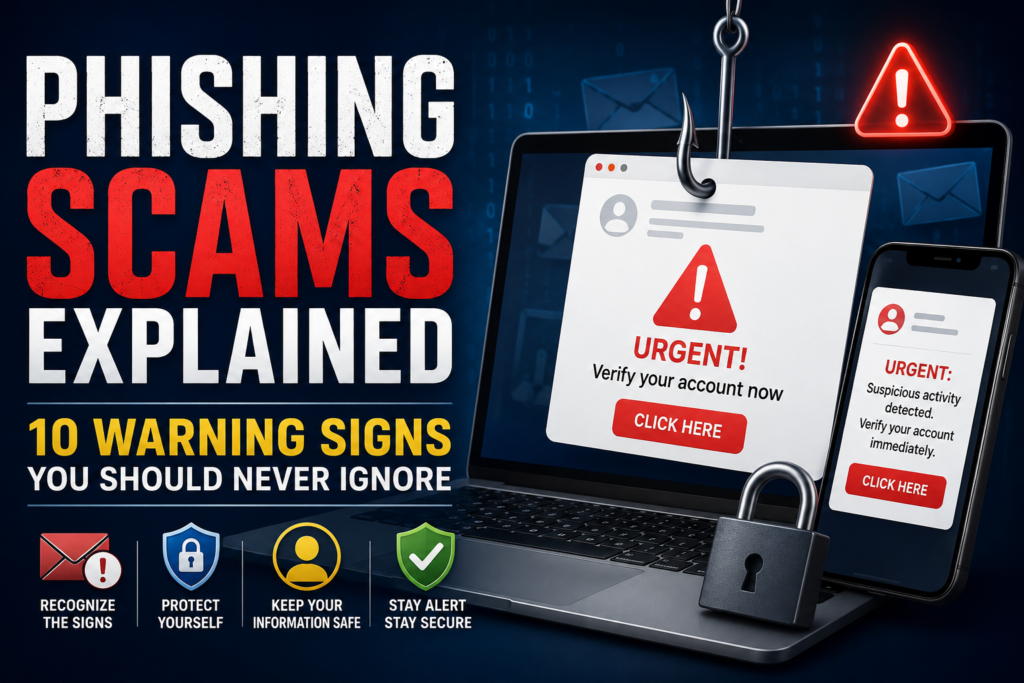
Read More: Phishing Scams Explained: 10 Warning Signs You Should Never Ignore
How Fake Websites Trick People
Most fake websites are designed to accomplish one of two major goals:
- Steal your information
- Steal your money
Understanding the most common types makes it easier to recognize a scam when you encounter one.
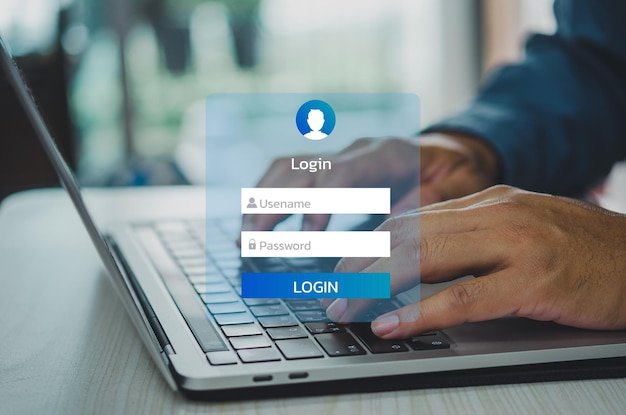
Fake Login Pages
Fake login pages imitate services such as banks, email providers, streaming services, payment platforms, and social media websites.
You may receive an email or text saying:
“Your account has been suspended. Verify your account now.”
The link takes you to a fake login page. When you enter your username and password, the information goes directly to the scammer.
Fake Online Stores
Fake online stores advertise electronics, designer products, clothing, shoes, or other popular products at extremely low prices.
After you place an order, several things can happen:
- The product never arrives
- You receive a counterfeit product
- You receive something completely different
- Your payment information is stolen
- The website disappears after collecting payments
Fake Banking Websites
These websites imitate your bank’s online banking portal.
They may ask for:
- Username
- Password
- Account number
- PIN
- Security questions
- One-time verification codes
Giving this information to scammers can result in account takeover or financial fraud.
Cryptocurrency Scams
Fake cryptocurrency websites often promise guaranteed profits or unusually high returns.
Some even provide fake dashboards showing your investment increasing in value.
The problem appears when you try to withdraw your money. The scammer may demand additional fees or simply stop responding.
Investment Scams
Investment scams often use professional-looking dashboards, fake testimonials, and fabricated growth charts.
The website may make it appear as though your investment is generating significant returns.
However, the displayed balance may be completely fake.
Tech Support Scams
A fake website may display an alarming message such as:
“Your computer is infected!”
It may then tell you to call a support number, download software, or give someone remote access to your computer.
Never trust unexpected technical-support warnings that appear while browsing.
Delivery Scams
Fake delivery websites imitate postal companies and shipping services.
You may receive a message saying that your package cannot be delivered until you pay a small customs or delivery fee.
The payment page may actually be designed to steal your card information.
AI-Generated Scam Websites
AI has made fake websites easier to create and harder to recognize.
Scammers can generate product descriptions, customer reviews, support responses, advertisements, and other content automatically.
Therefore, a professional-looking website does not automatically mean it is legitimate.
Read More: Social Media Account Security: 10 Ways to Protect Yourself From Hackers
What Happens If You Visit a Fake Website?
Simply opening a suspicious website does not always mean your device has been hacked.
In many situations, the biggest danger comes from what you do after visiting the website.
For example, you could:
- Enter a username and password
- Provide your credit card number
- Download a file
- Install software
- Enter personal information
- Approve a suspicious notification
- Call a fake support number
- Give someone remote access to your computer
Let’s look at the main risks.
Your Passwords Could Be Stolen
Fake login pages can capture usernames and passwords.
If you reuse the same password on multiple websites, one stolen password could potentially put several accounts at risk.
Your Payment Information Could Be Compromised
Fake stores may collect:
- Credit card numbers
- Debit card numbers
- Expiration dates
- Security codes
- Billing information
This information can potentially be used for unauthorized transactions.
Your Personal Information Could Be Stolen
Some scams attempt to collect sensitive information such as:
- Full name
- Address
- Phone number
- Date of birth
- Government identification information
- Financial information
This information can potentially be used for identity fraud.
Malware Could Be Downloaded
Some malicious websites attempt to trick visitors into downloading malware.
A suspicious download could contain:
- A virus
- A trojan
- Spyware
- Information-stealing malware
- Other unwanted software
This is why you should never download unexpected files simply because a website tells you to.
15 Warning Signs That a Website May Be Fake
Before entering your password, personal information, or payment details, check the website carefully.
You don’t need to see all 15 warning signs for a website to be suspicious. Two or three major red flags together should be enough to make you stop and investigate further.
1. The Website Has No HTTPS
HTTPS encrypts the connection between your browser and the website.
However, don’t make the mistake of assuming:
HTTPS = Legitimate Website
Scammers can also obtain HTTPS certificates for malicious domains.
Therefore, HTTPS is useful, but it should only be treated as one security signal.
2. The Domain Name Looks Slightly Wrong
Look carefully at the website address.
Scammers often create lookalike domains such as:
arnazon.compaypa1-secure.comamaz0n-example.com
A single changed character can make a fake website look almost identical to the real one.
3. The Website Uses Unrealistic Discounts
Be suspicious when a website advertises expensive products at extremely low prices.
Examples include:
- 80% off premium electronics
- Luxury products at a fraction of the normal price
- Free international shipping on expensive products
- “Everything must go” sales on a brand-new website
If the deal looks too good to be true, stop and verify the seller.
4. The Website Uses Fake or Repetitive Reviews
Scam websites often display hundreds of extremely positive reviews.
Look for reviews that:
- Sound almost identical
- Use generic language
- Have no verified purchase information
- Appear to have been posted within a short period
- Are only available on the website itself
Search for independent reviews instead.
5. Suspicious Pop-Ups Demand Immediate Action
Be careful when a website says:
- “Your account will be deleted!”
- “Your device is infected!”
- “Claim your prize now!”
- “Verify your account immediately!”
- “Only 2 minutes remaining!”
Urgency is one of the most common psychological techniques used in online scams.
6. There Is No Real Contact Information
A legitimate business should normally provide some way to contact it.
Be cautious if you only find:
- A generic contact form
- A free email address
- No physical address
- No phone number
- No customer-support information
7. The Domain Was Registered Recently
A website claiming to have operated for many years but using a domain registered only a few weeks ago deserves extra scrutiny.
Domain age isn’t proof of a scam by itself, but it can be a useful warning signal when combined with other red flags.
8. The Website Requests Unusual Payment Methods
Be extremely careful if an unfamiliar store insists on payment through:
- Gift cards
- Cryptocurrency
- Wire transfers
- Direct bank transfers
- Other difficult-to-reverse payment methods
Credit cards and established payment services generally offer stronger consumer protections.
9. Fake Trust Badges Appear Everywhere
Some scam websites display security or trust badges to appear legitimate.
Click the badge if possible.
If it doesn’t work, leads somewhere unrelated, or appears to be nothing more than an image, don’t treat it as proof of legitimacy.
10. Pages and Links Are Broken
Look around the website.
Do several links lead nowhere?
Are important pages missing?
Does the checkout page behave strangely?
A collection of broken or unfinished pages can be a warning sign.
11. Product Images Look Copied
Scammers frequently copy product photographs from legitimate retailers.
You can use reverse image search to see whether the same image appears on other websites.
12. Website Content Is Copied
Copy a unique sentence from the website and search for it online.
If the exact same content appears on multiple unrelated websites, investigate further.
13. Fake Urgency Is Used to Pressure You
Countdown timers and messages such as:
“Only 2 left!”
or
“Sale ends in 10 minutes!”
are designed to make you act before you have time to investigate.
14. The Website Redirects You Unexpectedly
Be cautious if clicking a normal link suddenly sends you to:
- An unrelated website
- A suspicious advertisement
- A strange login page
- An unexpected download
- Multiple redirects
Unexpected redirects can be a strong warning sign.
15. The Website Doesn’t Match the Brand It Claims to Represent
If a website claims to represent a major company but its domain, design, contact information, policies, and social media presence don’t match the real business, leave the site and visit the company’s official website directly.
Fake Website Warning Signs: Quick Comparison
| Warning Sign | Why It Is Suspicious | What You Should Do |
|---|---|---|
| Strange domain | May imitate a legitimate brand | Check the URL carefully |
| Huge discounts | Common scam tactic | Compare prices elsewhere |
| New domain | Could be a temporary scam site | Check domain age |
| No contact details | Difficult to verify the business | Search independently |
| Fake reviews | Reviews may be fabricated | Check independent review sites |
| Suspicious payment methods | Payments may be difficult to recover | Use safer payment methods |
| Fake trust badges | May create false confidence | Verify the badge |
| Urgency messages | Designed to prevent careful thinking | Slow down |
| Broken links | May indicate a poorly built scam site | Leave and investigate |
| Unexpected redirects | Could lead to malicious content | Close the page |
How to Tell If a Website Is Safe Before You Shop or Sign In
If you’re unsure about a website, don’t enter your information immediately.
Instead, follow this verification process.
Step 1: Check the Website URL
Examine the address character by character.
Pay attention to:
- Misspelled brand names
- Extra words
- Extra hyphens
- Numbers replacing letters
- Strange subdomains
- Unexpected domain extensions
Never assume that a website is legitimate simply because its logo looks familiar.
Step 2: Check the Domain Age
A WHOIS lookup can show when a domain was registered.
Look for:
- Registration date
- Domain age
- Registration history
- Ownership information when publicly available
A newly registered domain isn’t automatically malicious, but it deserves additional investigation if the website makes big claims about being an established business.
Step 3: Check the HTTPS Certificate
Click the padlock icon in your browser and review the site’s connection information.
Remember that HTTPS means the connection is encrypted. It does not prove that the company itself is legitimate.
This is an important distinction because scammers can also use HTTPS.
Step 4: Search for the Company Independently
Don’t rely on information published by the website itself.
Search the company name with terms such as:
company name scamcompany name reviewscompany name complaintscompany name fraud
Independent search results can reveal warnings from customers or security researchers.
Step 5: Check Independent Reviews
Look for reviews outside the website.
Useful places may include:
- Trustpilot
- Consumer forums
- Established review websites
Don’t rely exclusively on testimonials displayed on the suspicious website.
Step 6: Check the Company’s Social Media Presence
A legitimate business may have established social profiles with:
- Older posts
- Real customer interactions
- Consistent branding
- Genuine followers
- Regular activity
A website claiming to be an established company while having social accounts created recently should receive additional scrutiny.
Read More: What Is a VPN? The Ultimate Guide to How It Works in 2026
Best Free Tools to Check If a Website Is Safe
You don’t necessarily need a paid security subscription to investigate a suspicious website.
Several free tools can provide useful information.
Google Safe Browsing
Google Safe Browsing can help identify websites that Google has detected as dangerous, including websites associated with phishing or malware.
VirusTotal
VirusTotal allows you to submit a URL and compare results from multiple security engines.
It’s particularly useful when you want a second opinion about a suspicious link.
URLVoid
URLVoid checks a website against multiple reputation and blacklist services.
It can provide additional information about a domain’s reputation.
ScamAdviser
ScamAdviser provides a trust assessment based on several technical and reputation signals.
It’s particularly useful when investigating unfamiliar online stores.
WHOIS Lookup
WHOIS tools can help you investigate when a domain was registered and other publicly available registration information.
Have I Been Pwned
Have I Been Pwned doesn’t determine whether a website is legitimate.
Instead, it can help you determine whether an email address has appeared in known data breaches.
This can be useful if you suspect your account information may have been exposed.
Common Online Scams to Watch for in 2026
Fake websites are often just one part of a larger scam.
Understanding related scams can help you recognize suspicious websites faster.
Phishing Scams
Phishing uses fake emails, websites, or messages to trick people into revealing sensitive information.
The message may pretend to come from:
- Your bank
- A delivery company
- Your employer
- A social media platform
- A streaming service
Smishing Scams
Smishing is phishing delivered through text messages.
For example, you may receive a fake delivery notification asking you to click a link and pay a small fee.
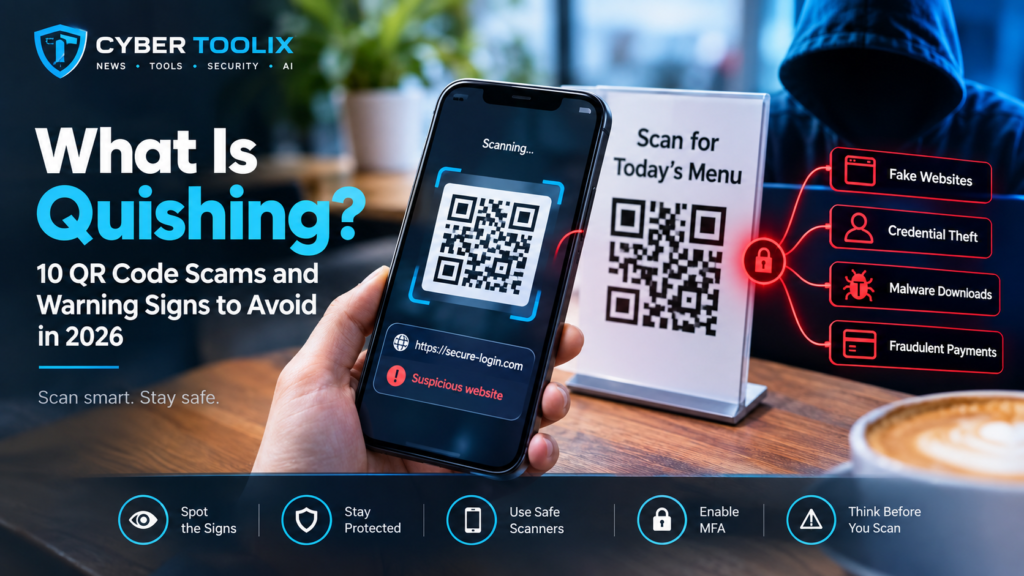
QR Code Scams or Quishing
Quishing uses malicious QR codes to redirect victims to phishing websites.
Scammers may place fake QR codes on:
- Parking meters
- Posters
- Restaurant menus
- Flyers
- Packages
- Public signs
Always check the destination URL before entering sensitive information after scanning a QR code.
Fake Job Websites
Fake job websites may collect:
- Resumes
- Personal information
- Identification documents
- Banking information
- “Training” or application fees
Be suspicious if a supposed employer asks you to pay money before hiring you.
Fake Cryptocurrency Exchanges
These scams may display realistic trading dashboards and fake account balances.
The victim may believe their investment is growing until they try to withdraw the money.
Romance Scams
Romance scammers can use fake identities, AI-generated images, and increasingly sophisticated communication techniques to build trust before asking for money.
Marketplace Scams
Marketplace scams can involve fake sellers, fake buyers, counterfeit payment confirmations, or requests to move the transaction outside the platform.
AI Voice Scams
AI can be used to imitate someone’s voice.
A scammer may pretend to be a family member, friend, manager, or company executive and request an urgent payment.
Deepfake Scams
Deepfake technology can create realistic-looking audio and video.
In more advanced attacks, scammers can impersonate people during video calls or meetings, making social-engineering attacks much harder to recognize.
What to Do If You Visited a Fake Website
If you only opened a suspicious website and didn’t enter information, download anything, or interact with it, the risk may be limited.
However, if you entered information or downloaded something, act quickly.
1. Disconnect From the Internet if Malware Is Suspected
If you believe malware was downloaded or installed, disconnect the affected device from the internet while you assess the situation.
2. Change Your Passwords
Start with your email account because your email is often used to reset passwords for other services.
Then change passwords for any accounts that may have been exposed.
Use unique passwords for every important account.
3. Enable Multi-Factor Authentication
Enable MFA or 2FA wherever possible.
This provides an additional security layer if your password has been compromised.
4. Contact Your Bank or Card Issuer
If you entered financial information, contact your bank or card issuer immediately.
Tell them what happened and ask what steps they recommend.
5. Freeze or Replace Your Card
If your card details were exposed, your bank may recommend freezing the card or issuing a replacement.
6. Monitor Your Accounts
Watch for:
- Unknown transactions
- New login notifications
- Password reset emails
- New devices
- Suspicious messages
- Unexpected account changes
7. Scan Your Device
Run a full security scan if you downloaded a suspicious file or suspect malware was installed.
8. Report the Scam
Reporting suspicious websites can help authorities and security companies investigate them and potentially take them down.
For US readers, relevant reporting channels include the FTC’s fraud reporting service and the FBI’s Internet Crime Complaint Center.
What to Do If You Entered Personal Information
The response depends on what information you provided.
If You Entered a Password
Immediately change it.
If you reused the same password elsewhere, change it on those accounts too.
If You Entered Credit Card Information
Contact your card issuer immediately and monitor transactions closely.
If You Provided Sensitive Identity Information
Consider contacting the relevant authorities and financial institutions and monitoring your credit reports for suspicious activity.
For US users, a credit freeze with the major credit bureaus can help prevent unauthorized new credit accounts from being opened in your name.
If You Downloaded a Suspicious File
Don’t open it again.
Disconnect from the internet if appropriate, run a full security scan, and consider getting professional technical assistance if the device shows signs of compromise.
Simple Habits for Safer Online Browsing
You don’t need to become a cybersecurity expert to improve your online safety.
A few simple habits can make a significant difference.
Keep Your Browser Updated
Modern browsers include security protections that can warn you about known malicious websites.
Install browser and operating-system updates regularly.
Use a Password Manager
A password manager can create unique passwords for your accounts.
It can also provide a useful warning when a fake website doesn’t match the domain where your saved credentials belong.
Enable Two-Factor Authentication
Turn on 2FA for important accounts, especially:
- Banking
- Social media
- Cloud storage
- Work accounts
Bookmark Important Websites
Instead of searching for your bank or frequently used websites every time, bookmark the legitimate website.
This reduces the chance of accidentally clicking a malicious search result.
Verify Links Before Clicking
On desktop, hover over a link to preview its destination.
On mobile, long-press a link to inspect where it leads before opening it.
Use Secure Payment Methods
When shopping online, prefer payment methods that provide consumer protection.
Avoid unfamiliar sellers that insist on irreversible payment methods.
Slow Down When You See Urgency
Fear and urgency are common tools used by scammers.
If a message tells you to act immediately, stop and verify it independently.
How to Tell If a Website Is Safe: Quick 5-Minute Checklist
When you’re unsure about a website, use this quick checklist:
Website Safety Checklist
- ☐ Check the URL carefully
- ☐ Look for misspelled or altered domain names
- ☐ Check the domain age
- ☐ Confirm HTTPS
- ☐ Don’t assume HTTPS means the site is legitimate
- ☐ Search for independent reviews
- ☐ Search the company name with “scam” or “complaints”
- ☐ Check the site’s contact information
- ☐ Look for suspicious payment methods
- ☐ Check for unrealistic discounts
- ☐ Look for fake urgency
- ☐ Scan the URL using a website reputation tool
- ☐ Check the company’s social media presence
- ☐ Be careful with unexpected downloads
- ☐ Never enter sensitive information until you’re confident the website is legitimate
If several warning signs appear at the same time, close the website and investigate it further before continuing.
Frequently Asked Questions About Fake Websites
Can a Website With HTTPS Still Be Fake?
Yes. HTTPS encrypts the connection between your browser and the website, but it doesn’t prove that the website owner is trustworthy.
Scammers can also use HTTPS on phishing and fraudulent websites.
How Do Scammers Create Fake Websites?
Scammers can use website builders, copied templates, AI tools, stolen images, fake reviews, and automated content-generation tools to create convincing websites quickly.
Is It Safe to Buy From a New Online Store?
Not necessarily.
A new website isn’t automatically a scam, but you should check its domain age, company information, independent reviews, payment options, and reputation before buying.
What Should I Do If I Entered My Credit Card Details?
Contact your card issuer immediately.
Explain that your card information may have been entered on a fraudulent website. Monitor your account for unauthorized transactions and follow your bank’s recommendations.
Can Antivirus Software Detect Fake Websites?
Many modern security products include web protection that can block known malicious websites.
However, brand-new scam websites may not yet be identified, so you should still learn how to recognize suspicious websites yourself.
How Can I Check Whether a Website Is Legitimate?
Use multiple checks instead of relying on one signal.
Check the:
- Domain name
- Domain age
- Website reputation
- Independent reviews
- Contact information
- Payment methods
- HTTPS connection
- Overall website behavior
You can also check a suspicious URL using services such as Google Safe Browsing or VirusTotal.
Conclusion: Stay One Step Ahead of Online Scammers
Fake websites are becoming more convincing, but the fundamentals of online safety haven’t changed.
Slow down, verify before you trust, and never allow urgency to make the decision for you.
A few seconds spent checking a domain, researching a company, or scanning a suspicious link can save you from weeks or months of dealing with stolen accounts, fraudulent transactions, or identity theft.
Make these habits automatic:
- Use a password manager
- Enable multi-factor authentication
- Keep your devices updated
- Check suspicious links before opening them
- Use reputable payment methods
- Research unfamiliar websites
- Don’t trust HTTPS alone
- Be cautious of unrealistic deals and urgent messages
Most importantly, remember that a professional-looking website isn’t necessarily a legitimate website. In 2026, scammers can use AI to make almost every visual and written element look convincing.
Your best defense is to combine multiple checks before you trust a website with your money, passwords, or personal information.