
What Is a Passkey? How Passkeys Work and Why They’re Safer Than Passwords in 2027
What is a passkey? Learn how passkeys work, why they’re safer than passwords, how they prevent phishing, and how to use them in 2027. Passwords have been the standard way to protect online accounts for decades. But remembering different passwords for email, social media, banking, shopping, and work accounts can be difficult. Reusing passwords or choosing weak ones can also make accounts easier for attackers to compromise.
This is where passkeys come in.
A passkey is a passwordless authentication method designed to make signing in both easier and more secure. Instead of typing a password, you can usually verify your identity using a fingerprint, face recognition, device PIN, or another supported method.
Passkeys use public-key cryptography and are designed to resist phishing and other attacks that commonly target passwords. Pasted text
In this guide, we’ll explain what a passkey is, how passkeys work, whether they are safe, how they compare with passwords and 2FA, and how you can start using them in 2027.
What Is a Passkey?
A passkey is a passwordless login credential that can replace a traditional password.
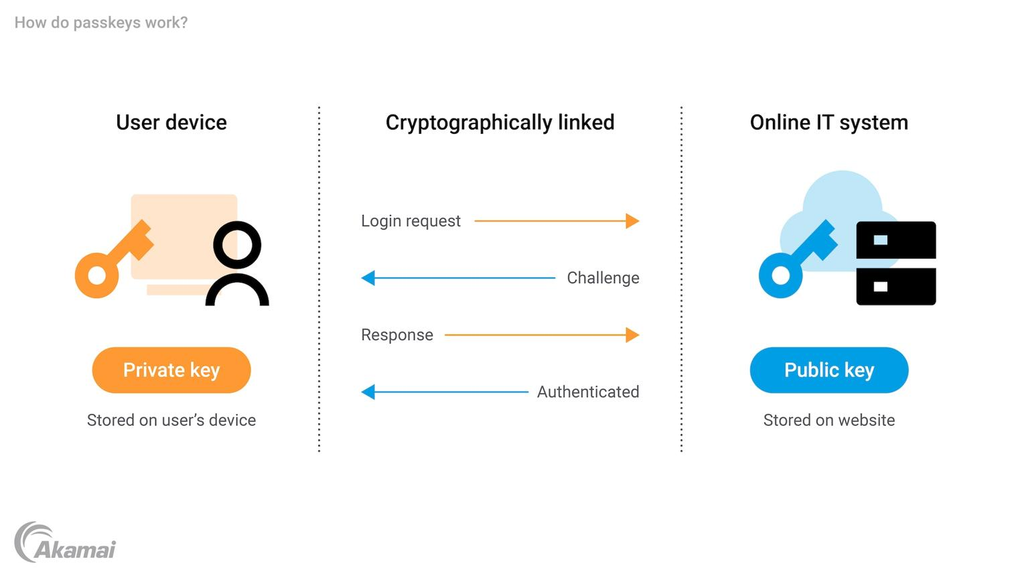
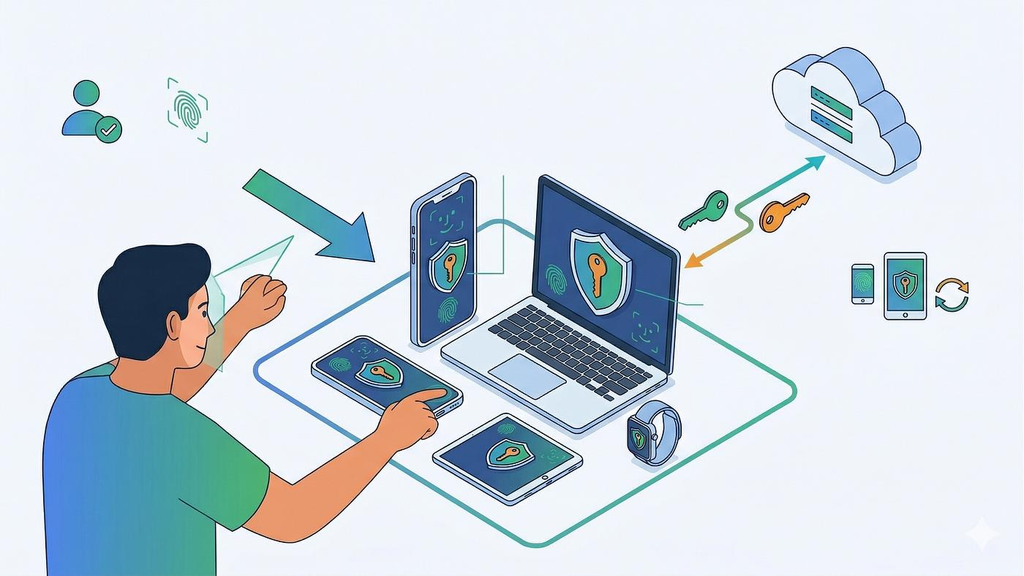
When you create a passkey for an account, your device or supported authenticator generates a unique cryptographic key pair:
- Public key: shared with the website or service.
- Private key: kept securely by your device or authenticator.
The website does not receive your private key. Instead, it uses the public key to verify that the login request is legitimate. Pasted text
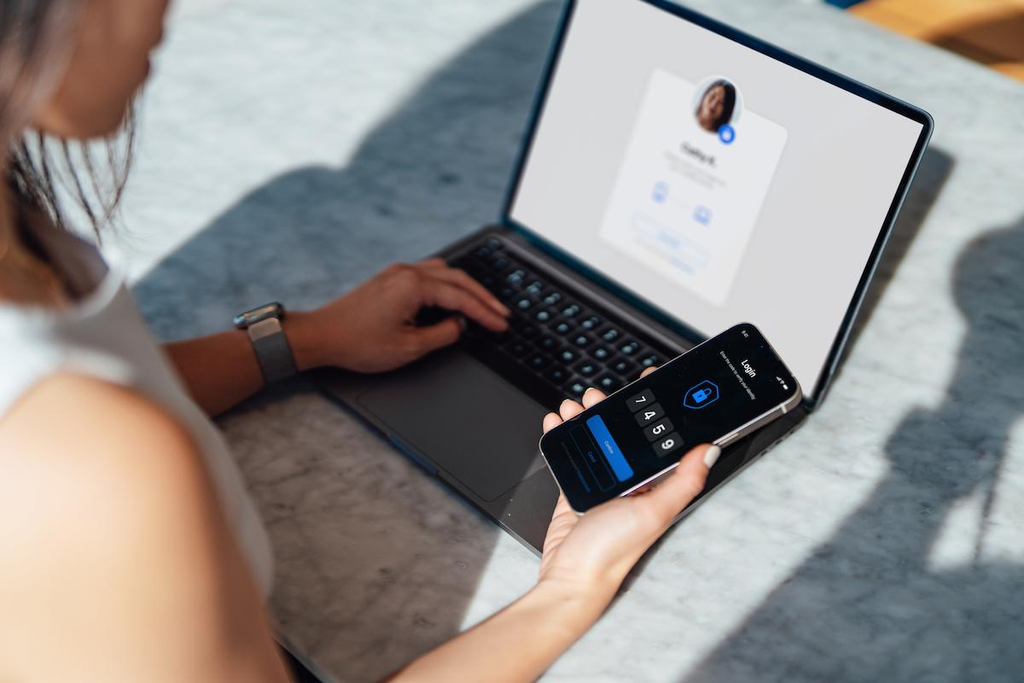
For users, the process is much simpler than remembering passwords. When signing in, you may simply use Face ID, a fingerprint, Windows Hello, or a device PIN to approve the login.
In simple words
Think of a passkey as a digital key for your online account.
Instead of telling a website:
“Here is my password.”
your device proves:
“I have the correct digital key.”
The website can verify that proof without receiving your private key.
Two-Factor Authentication (2FA): How It Works, Benefits & Why You Need It
How Do Passkeys Work?
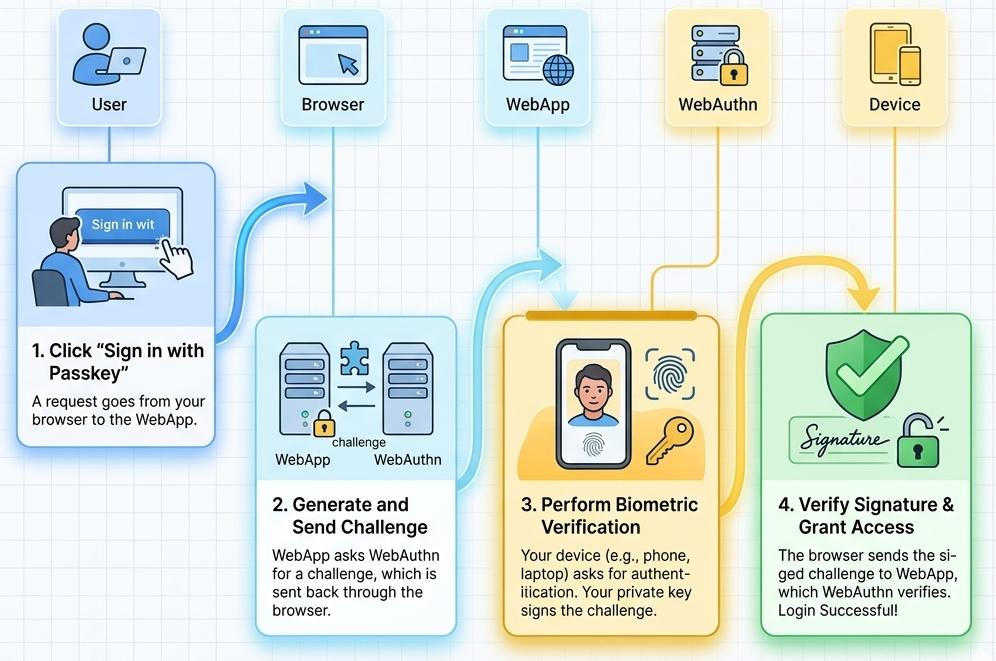
Passkeys are based on public-key cryptography and use the Web Authentication API, commonly known as WebAuthn. Modern browsers and operating systems support the technology behind passkeys. Pasted text
When you register a passkey, your authenticator creates two keys.
1. Public key
The public key is sent to the website and can be stored on its servers.
2. Private key
The private key remains protected by your authenticator. It is not sent to the website during normal authentication.
When you later sign in, the website sends a cryptographic challenge to your device. Your authenticator verifies you using a biometric method or PIN and then uses the private key to produce a response.
The website checks that response against the public key it has stored.
If everything matches, you’re logged in.
Why Are Passkeys More Secure Than Passwords?
One of the biggest problems with passwords is that they can be stolen.
Attackers may obtain passwords through:
- Phishing
- Data breaches
- Credential stuffing
- Password guessing
- Keylogging
- Social engineering
Passkeys are designed differently.
The private part of the credential isn’t shared with the website, while the passkey is also tied to the website where it was created. Pasted text
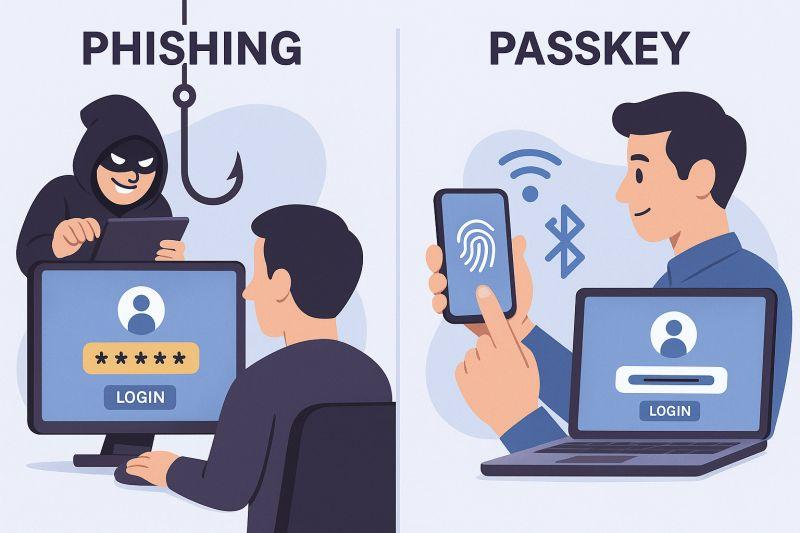
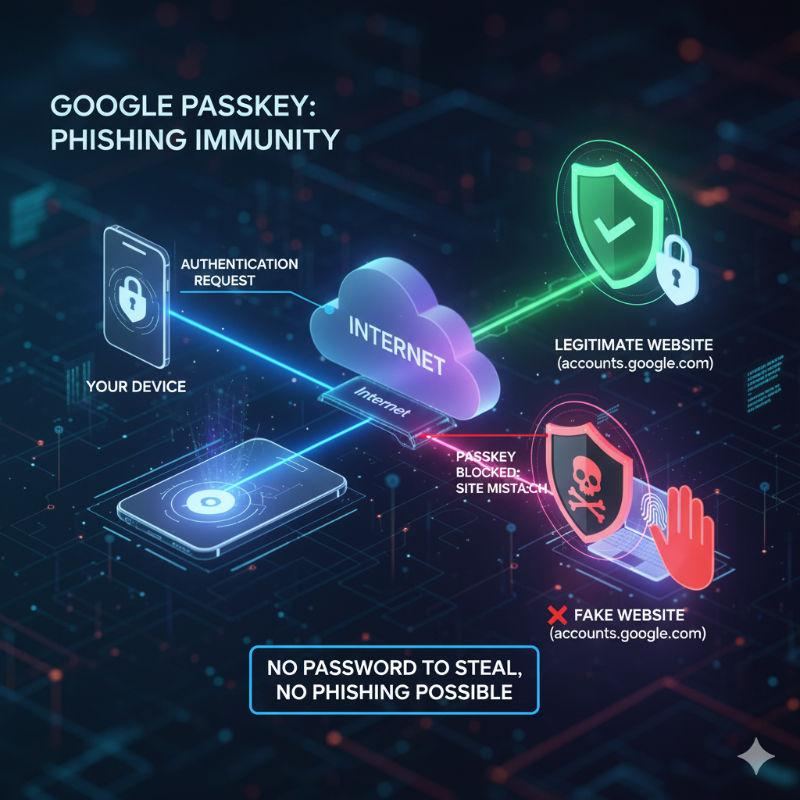
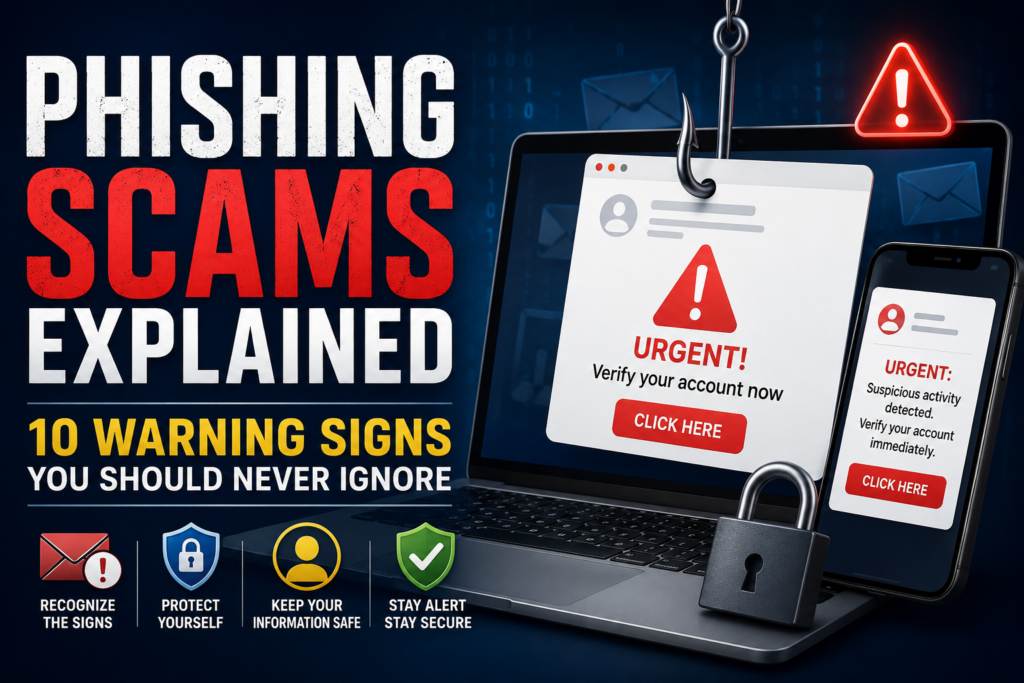
Passkeys Are Resistant to Phishing
This is one of their biggest advantages.
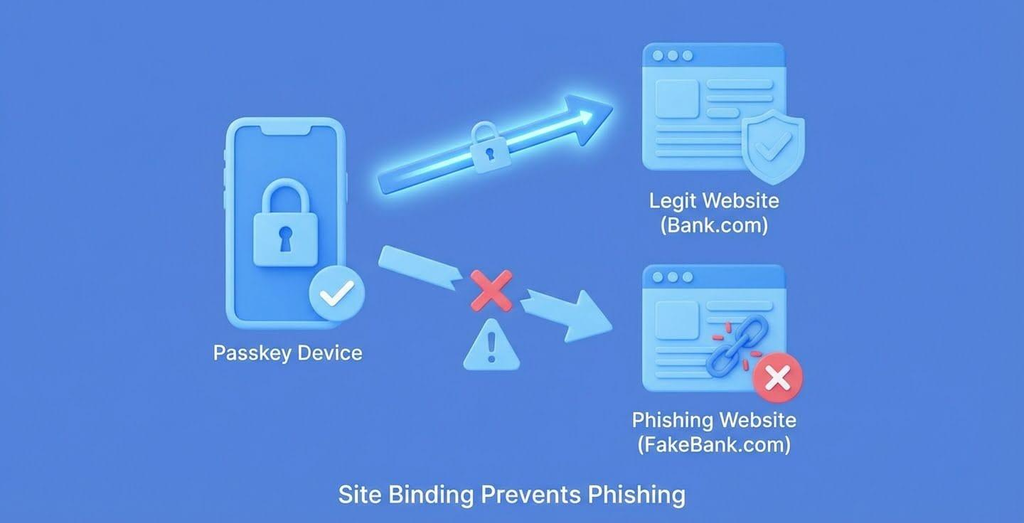
Imagine an attacker creates a fake website that looks almost identical to your bank’s login page. With a password, you might accidentally enter your credentials into the fake website.
A passkey works differently.
Passkeys are origin-bound, meaning a passkey created for one legitimate website won’t simply authenticate you on a malicious lookalike domain. Pasted text
So even if you accidentally visit a convincing phishing page, the passkey isn’t available for that fraudulent website to steal.
Passkeys vs Passwords
| Feature | Passkeys | Passwords |
|---|---|---|
| Need to remember | No | Yes |
| Phishing resistance | Strong | Weak |
| Can be guessed | Not like a password | Yes |
| Stored as a secret on website | No private key | Password-related data required |
| Login method | Biometrics/PIN/device verification | Password |
| Credential reuse risk | Much lower | High if passwords are reused |
| User convenience | High | Lower |
Passwords require users to create, remember, type, and protect them. Passkeys remove much of that burden while providing strong protection against phishing. Pasted text
Passkeys vs Two-Factor Authentication
Passkeys are also interesting because they can potentially replace both a password and some forms of 2FA.
Traditional login might look like this:
Password → SMS/app code → Login
With a passkey, the process can be:
Passkey → Biometric/PIN → Login
Some password-based 2FA methods can still be vulnerable to phishing, while passkeys are designed to be phishing-resistant. Pasted text
However, this doesn’t mean every security setup should immediately remove every additional protection. The available authentication and recovery options depend on the particular service.
Device-Bound vs Synced Passkeys
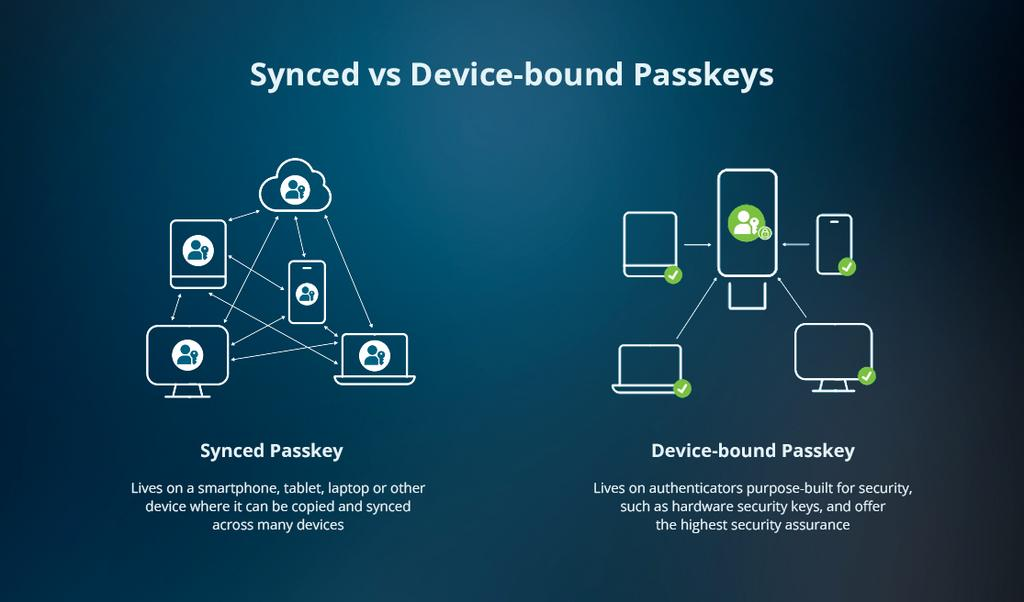
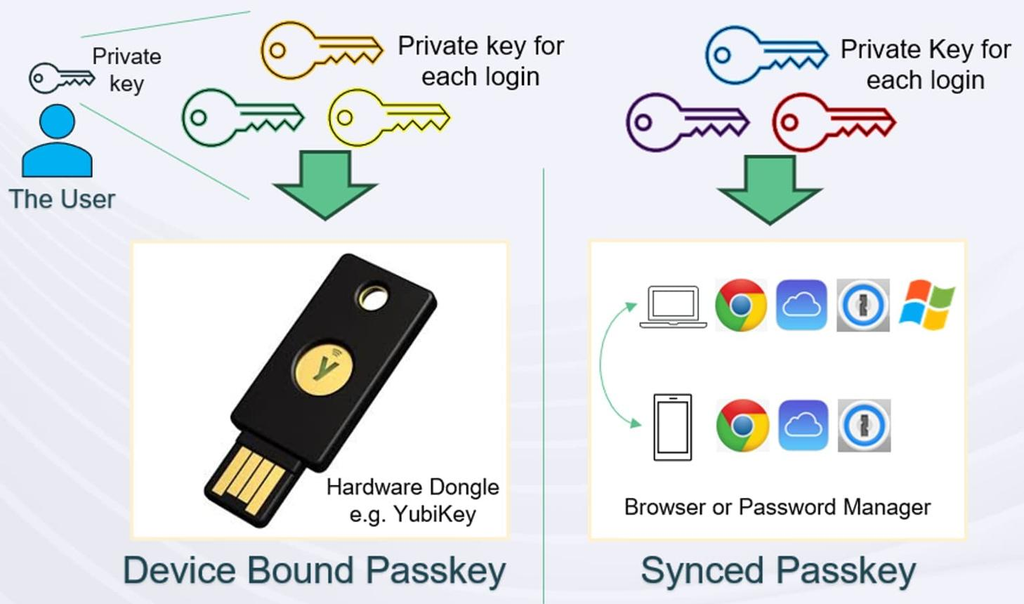
There are two important types of passkeys you may encounter.
Device-Bound Passkeys
A device-bound passkey stays with a particular hardware authenticator and isn’t synchronized between devices.
Hardware security keys are a common example.
They can be useful where organizations require a high level of assurance. Pasted text
Synced Passkeys
Synced passkeys can be securely synchronized across supported devices through an authenticator or credential manager.
This makes them more convenient because you don’t necessarily have to create a completely new credential every time you switch devices.
Are Passkeys Safe?
Yes, passkeys are considered a strong alternative to traditional passwords because of the way they use cryptographic authentication.
Some of their major security advantages include:
Private keys aren’t sent to websites
The website receives the public key while the private key remains with the authenticator. Pasted text
They are resistant to phishing
A passkey is tied to its legitimate origin, making it unsuitable for use on a fraudulent lookalike website. Pasted text
They don’t need to be remembered
Users don’t need to memorize another complicated password for every account. Pasted text
They are difficult to guess
Passkeys aren’t conventional passwords that attackers can simply guess or crack.
Biometrics stay local
When biometrics such as a fingerprint or face scan are used, the biometric verification happens on the device rather than being sent to the website. Pasted text
No authentication system is completely risk-free, but passkeys significantly reduce several common password-related attack paths. Pasted text
What Happens If You Lose Your Device?
This is an important question before switching to passkeys.
The answer depends on where your passkey is stored.
If your passkey is synchronized through a supported credential manager, you may be able to recover it on another device.
If it is stored only on a particular device or hardware key, you may need a backup authenticator or the account’s recovery process. Pasted text
For this reason, users should understand their chosen provider’s recovery options before relying entirely on passkeys.
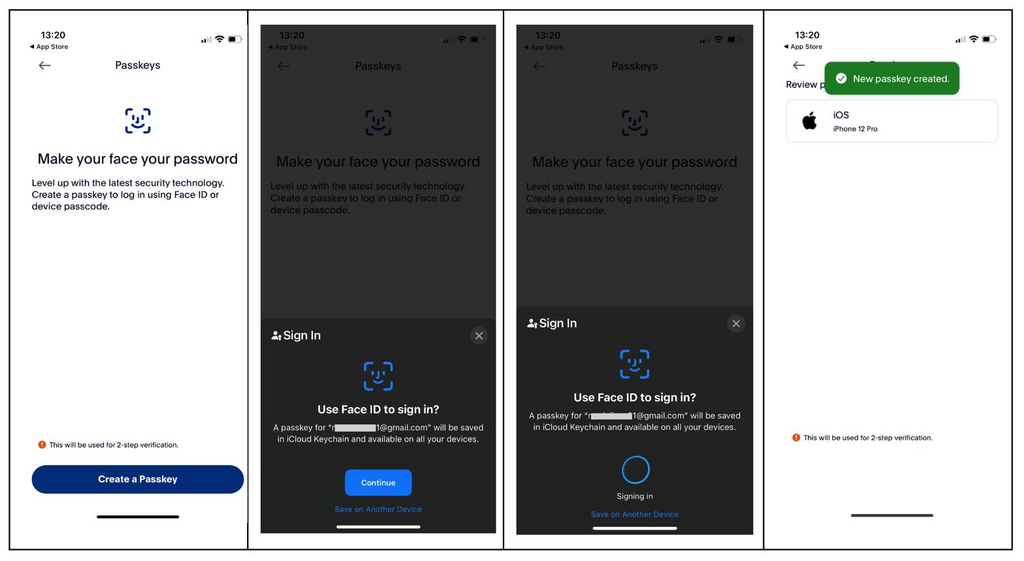
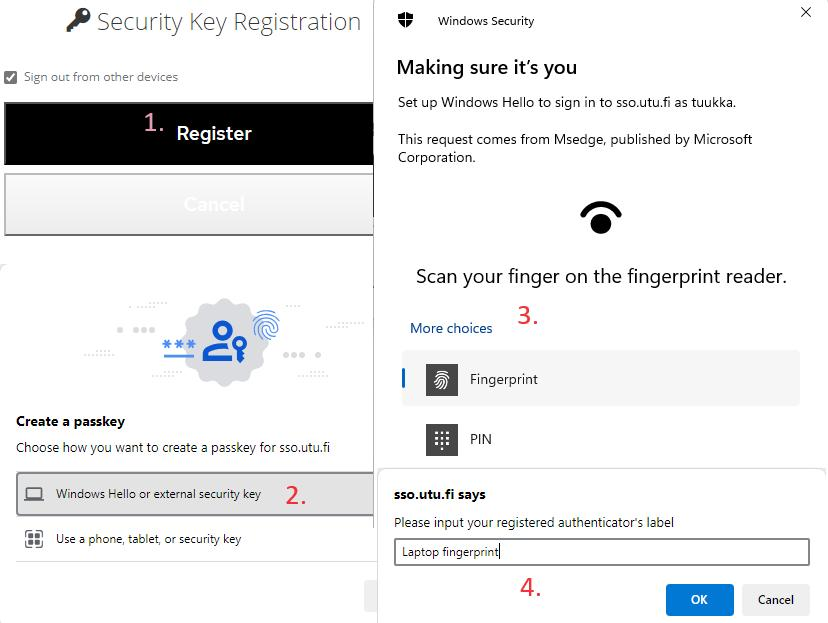
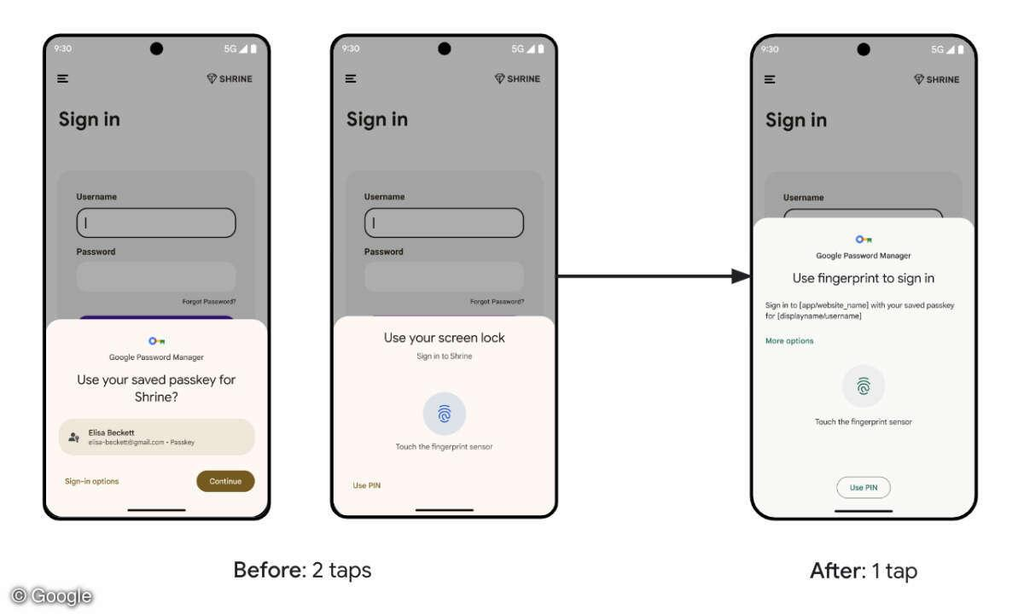
How to Set Up a Passkey
The exact process varies depending on the website, device, browser, and authenticator.
Generally, the process looks like this:
- Sign in to the account.
- Open Account Settings or Security Settings.
- Look for Passkeys, Security Keys, or Sign in with a passkey.
- Select the option to create a passkey.
- Choose where you want to save it.
- Verify your identity with a fingerprint, Face ID, PIN, or another supported method.
- Save the passkey.
- Test signing in again.
The source material also notes support across modern platforms including iOS, Android, Windows, and macOS, although the exact setup steps vary.
Where Can You Use Passkeys?
Passkeys are increasingly supported by major online services and platforms.
Examples mentioned in the source material include:
- Apple
- Microsoft
- Adobe
- eBay
- Nintendo
- Snapchat
- TikTok
- PayPal
- Shopify
- GitHub
- Uber
- Amazon
Support can vary by product, platform, browser, and account, so users should check the security settings of the particular service before assuming passkeys are available.
What Are the Advantages of Passkeys?
Easier login
You don’t need to type a complicated password every time.
Better phishing protection
Passkeys are designed to work only with their registered origin.
No password to remember
This removes one of the biggest inconveniences of traditional authentication.
Strong cryptographic protection
Passkeys use public-key cryptography instead of relying on a shared password secret.
Better cross-device convenience
Synced passkeys can be available across supported devices. Pasted text
Are There Any Disadvantages?
Passkeys aren’t completely without challenges.
The biggest considerations include:
- Account recovery must be configured properly.
- Users need compatible devices, browsers, or authenticators.
- Device-bound credentials can become difficult to use if the authenticator is lost.
- Different ecosystems may handle passkeys differently.
- Users may need to understand where their passkeys are stored.
So, while passkeys can make authentication easier, recovery planning is still important.
Will Passkeys Replace Passwords?
Passkeys are increasingly being adopted as a passwordless authentication option, and major technology companies are supporting the technology. Pasted text
The long-term goal is to reduce our dependence on passwords.
Instead of remembering dozens of passwords, users could increasingly authenticate with a device, biometric verification, PIN, or security key.
That doesn’t mean passwords will disappear from every website overnight. Many services still support traditional passwords, and some accounts may offer passkeys alongside existing login methods.
But the direction is clear: passwordless authentication is becoming an increasingly important part of online security.
Passkeys vs Passwords vs 2FA
| Security Feature | Passkeys | Passwords | OTP / 2FA |
|---|---|---|---|
| Phishing resistance | Strong | Weak | Depends on method |
| Requires memorization | No | Yes | Usually no |
| Can be guessed | No | Yes | No |
| Login convenience | High | Medium/Low | Medium |
| Can replace password | Yes | — | No |
| Private key cryptography | Yes | No | No |
| Origin-bound | Yes | No | No |
The source comparison similarly describes passkeys as strongly phishing-resistant, while passwords have no built-in phishing resistance and some OTP/2FA methods remain vulnerable to phishing or social engineering. Pasted text
Frequently Asked Questions
What is a passkey in simple words?
A passkey is a passwordless way to sign in to an account using a supported device, authenticator, biometric verification, or PIN.
Can passkeys be hacked?
No security system is completely immune to attack, but passkeys significantly reduce several common password attack methods because the private key isn’t shared with the website.
Can passkeys be phished?
Passkeys are designed to be resistant to phishing because they are bound to the website’s legitimate origin. Pasted text
Do passkeys require Face ID or fingerprints?
No. Biometrics are common, but supported devices can also use a PIN or device password for verification. Pasted text
What if I lose my phone?
Your recovery options depend on how the passkey was stored. Synced passkeys may be recoverable through the relevant account or credential manager, while device-bound passkeys may require a backup key or account recovery process. Pasted text
Are passkeys better than passwords?
For many users and use cases, yes. They provide greater convenience and strong protection against phishing while eliminating the need to remember traditional passwords.
Final Thoughts
Passkeys are changing the way people sign in to online accounts. Instead of relying on passwords that can be guessed, reused, leaked, or stolen through phishing, passkeys use cryptographic credentials tied to legitimate websites.
Their biggest advantages are security, convenience, and phishing resistance.
As more websites, browsers, operating systems, and online services adopt passwordless authentication, passkeys are likely to become a much more common part of everyday account security.
If you’re looking to improve your online security in 2027, checking whether your most important accounts support passkeys is a good place to start.



Pingback: How to Secure Your Google Account in 2026: 12 Essential Steps - Cyber Toolix